Strategy View
The strategy view is the main visual display for browsing solved GTO strategies. It combines a 13x13 strategy grid, a poker table visualization, and per-position EV information.
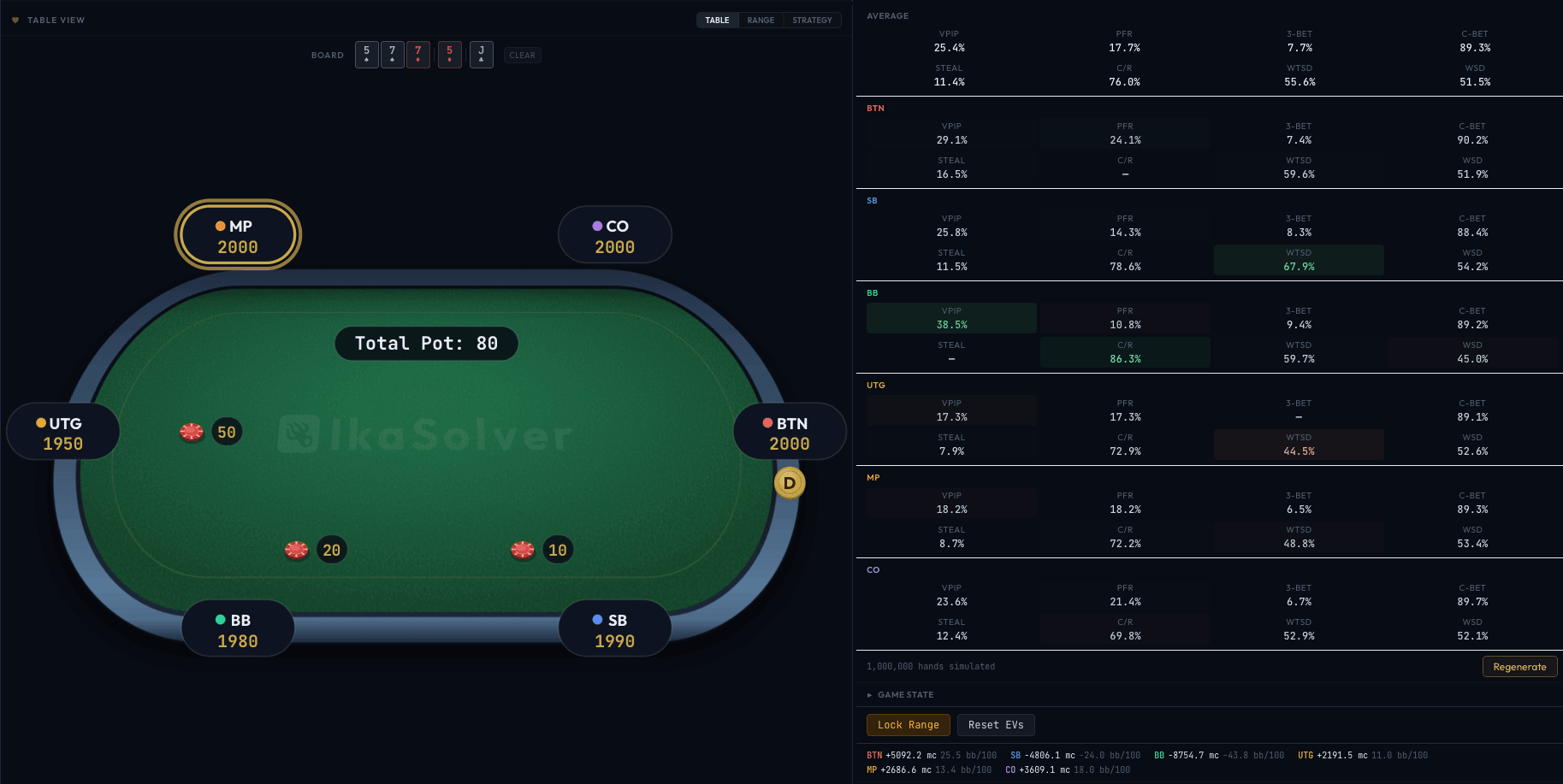
The 13x13 Strategy Grid
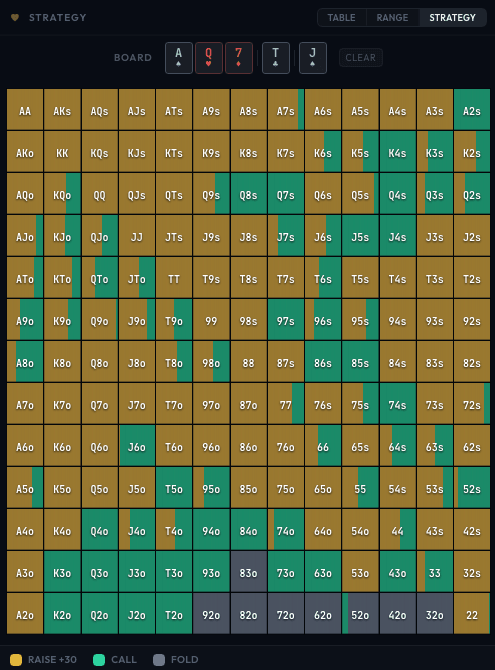
The strategy grid shows the solved strategy for the acting player at the selected node. Each cell represents a hand class in the standard poker hand matrix format:
- Diagonal - Pocket pairs (AA, KK, ..., 22)
- Above diagonal - Suited hands (AKs, AQs, ...)
- Below diagonal - Offsuit hands (AKo, AQo, ...)
Action Colors
Each cell is filled with a horizontal gradient showing the proportion of each action:
| Color | Action |
|---|---|
| Gray (#6e7a8d) | Fold |
| Teal (#2dd4a0) | Call / Check |
| Gold (#e5b93c) | Raise (any size) |
| Red (#ef5f5f) | All-in |
A cell that is entirely teal means the solver always calls with that hand. A cell split 60% gold and 40% teal means the solver raises 60% of the time and calls 40%. Pure gray cells are hands that always fold.
A legend at the bottom of the grid shows the action names with their corresponding colors for the current node.
Hovering for Details
Hover over any cell to see a detailed tooltip with the specific combo-level strategy:
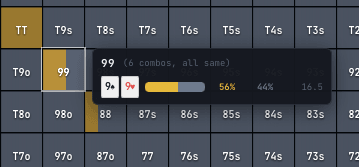
The tooltip shows:
- Hand label - The hand class (e.g., "AKs").
- Per-combo breakdown - For postflop nodes, each specific card combination (e.g., As Kh, Ah Ks, etc.) is listed separately since they may have different strategies on different board textures.
- Strategy bar - A mini gradient showing the action split for each combo.
- Action percentages - The exact frequency for each action per combo.
- EV - Expected value for each combo in milli-chips.
For preflop nodes where all combos of a hand class share the same strategy, the tooltip shows a single representative line with a note like "(6 combos, all same)".
Board Card Requirement
For postflop nodes, you must select the appropriate board cards before the strategy grid can display data. The grid will prompt you with how many cards are needed (e.g., "Select flop board cards to view strategy" with "0/3 cards set").
The Poker Table
The poker table visualization sits alongside the strategy grid and shows the current game state at the selected node:
- Player positions - Each seat shows the position name (BTN, SB, BB, UTG, etc.) with color coding.
- Stack sizes - Current stack at each position.
- Pot size - The total pot in the center.
- Board cards - Community cards displayed on the table (postflop).
- Action indicator - Highlights whose turn it is to act.
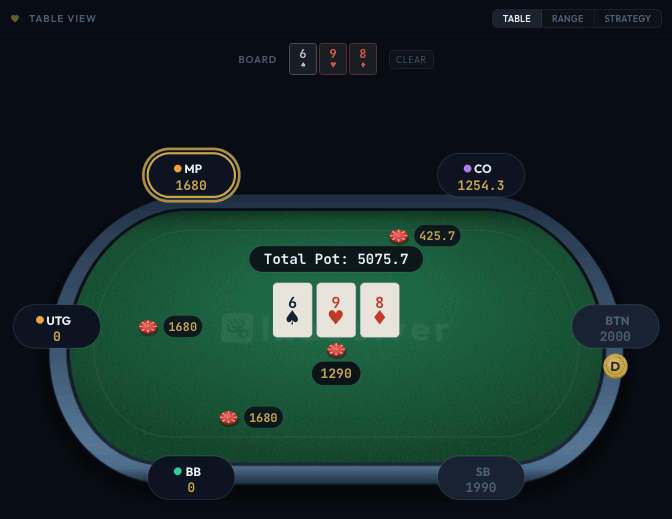
Selecting Player Ranges
Click on any player's seat at the poker table to view the strategy from that player's perspective. This switches both the strategy grid and the hand frequency table to show that player's range and strategy. This is particularly useful in multi-way pots to see how different positions play at the same node.
Per-Position EV Display
Below the strategy grid, the EV display shows the expected value for each player position at the current node:
BTN  +142.3 mc   7.1 bb/100
SB   -52.8 mc   -2.6 bb/100
BB   -89.5 mc   -4.5 bb/100
Understanding the Units
- mc (milli-chips) - 1/1000 of a chip. A value of +142.3 mc means the player profits 0.1423 chips on average from this node.
- bb/100 (big blinds per 100 hands) - EV expressed as big blinds per 100 hands, the standard poker win-rate metric. This is calculated from the milli-chip EV and the big blind size.
Positive values mean the position is profitable; negative values mean it loses money on average.
Locked Node EV Comparison
When you have locked certain hands to specific actions (overriding the GTO strategy), the EV display changes to show the impact:
BTN GTO 142.3 → Locked 138.1 (-4.2 mc) -0.2 bb/100This shows the GTO EV, the locked (exploitative) EV, and the difference - making it easy to see how much EV your deviation costs or gains at each position.
Live Updates
While the solver is running, the strategy grid refreshes every second, and the hand frequency table every 2 seconds. You can navigate the game tree and watch strategies evolve in real time as the solver converges.
Postflop Group Filters
When viewing postflop nodes, the Made Hands and Draws group filters also apply to the strategy grid. Unchecking groups in the filter panels removes those hand types from the grid display, making it easy to focus on how specific hand categories are played.